
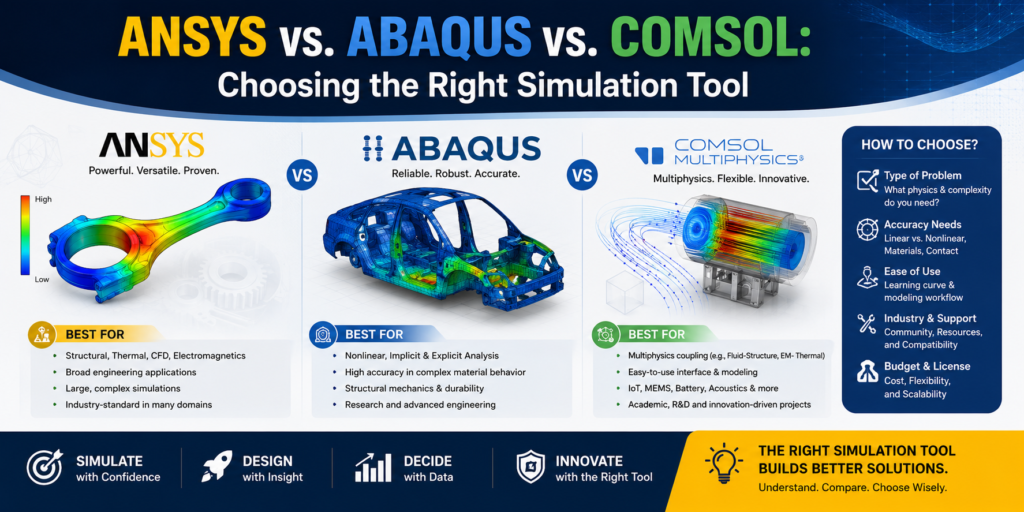
The choice between ANSYS, Abaqus, and COMSOL depends entirely on the nature of your engineering or research project. As mechanical engineering students, understanding which tool to use for specific simulations is a critical skill.
Core Comparison At A Glance
| Metric | ANSYS Mechanical | Abaqus (SIMULIA) | COMSOL Multiphysics |
|---|---|---|---|
| Primary Strength | Broad industrial workflow, excellent meshing | Advanced nonlinear structural analysis | Native, tightly coupled multiphysics |
| UI & Workflow | Workbench (visual, node-based flowchart) | CAE (modular, step-by-step) | Model Builder (highly intuitive, unified tree) |
| Customizability | APDL, Python scripting | Built-in Python scripting, user subroutines (UMAT) | Native Partial Differential Equation (PDE) editor |
| Primary Domain | Enterprise production & product development | High-fidelity automotive & aerospace structural analysis | Heavily coupled multiphysics simulations & research |
Which one should you choose?
- Choose ANSYS for standardized, all-around industrial engineering workflows and broad enterprise integration.
- Choose Abaqus for complex nonlinear solid mechanics, large deformations, contact modeling, and advanced materials.
- Choose COMSOL for heavily coupled, equation-based multiphysics simulations and research.