
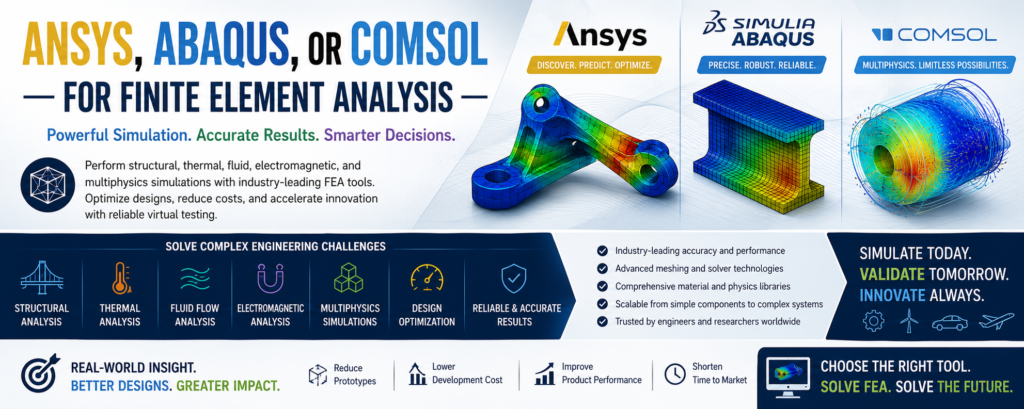
The choice between ANSYS, Abaqus, and COMSOL depends entirely on the nature of your engineering or research project. [1]
- मानकीकृत, ऑल-राउंड औद्योगिक इंजीनियरिंग वर्कफ़्लो और व्यापक एंटरप्राइज़ एकीकरण के लिए ANSYS चुनें।
- जटिल नॉनलाइनियर सॉलिड मैकेनिक्स, बड़े विरूपण, संपर्क मॉडलिंग और उन्नत सामग्री के लिए Abaqus चुनें।
- Choose COMSOL for heavily coupled, equation-based multiphysics simulations and research. [1, 2, 3, 4, 5]
मुख्य तुलना एक नज़र में
| मीट्रिक | ANSYS मैकेनिकल | Abaqus (SIMULIA) | COMSOL मल्टीफिजिक्स |
|---|---|---|---|
| प्राथमिक शक्ति | व्यापक औद्योगिक वर्कफ़्लो, उत्कृष्ट मेशिंग | उन्नत नॉनलाइनियर स्ट्रक्चरल विश्लेषण | नेटिव, कसकर युग्मित मल्टीफिजिक्स |
| यूआई और वर्कफ़्लो | वर्कबेंच (विज़ुअल, नोड-आधारित फ़्लोचार्ट) | CAE (modular, step-by-step, no hand-holding) | मॉडल बिल्डर (अत्यधिक सहज, एकीकृत ट्री) |
| अनुकूलन क्षमता | APDL, Python स्क्रिप्टिंग | अंतर्निहित Python स्क्रिप्टिंग, उपयोगकर्ता सब रूटीन (UMAT) | नेटिव आंशिक अंतर समीकरण (PDE) संपादक |
| प्राथमिक डोमेन | एंटरप्राइज़ उत्पादन और उत्पाद विकास | High-fidelity automotive, aerospace, defense | Academic research, R&D labs, custom physics |
ANSYS: The Industry Standard Workhorse
ANSYS is the dominant force in general-purpose industrial engineering. Its ecosystem spans structural mechanics, high-performance fluid flow, and electromagnetics. [1, 2, 3, 4, 5]
- The Workbench Advantage: The software utilizes an intuitive node-and-canvas layout. This links your CAD geometry directly to the mesh, physics solver, and optimization engines. [1, 2, 3, 4]
- Automation: It features massive automation capabilities, making it ideal for teams running thousands of standard design variations. [1, 2, 3]
- Downside: It can sometimes abstract too many underlying mechanics. This leads beginners to accept default settings that are technically sub-optimal for their geometry. [1]
Abaqus: The King of Nonlinear Solid Mechanics
Developed under Dassault Systèmes, Abaqus excels when structures behave unpredictably under heavy loading conditions. [1, 2]
- Implicit & Explicit Solvers: It features two core solvers. Abaqus/Standard (implicit) efficiently resolves static and low-speed dynamic issues. Abaqus/Explicit dominates high-speed impact events like drop tests, car crashes, and material tearing. [1, 2, 3, 4]
- Material & Contact Fidelity: If your model includes hyperelastic rubber, composite delamination, complex cyclic loading, or sliding friction, Abaqus handles the mathematics more reliably than its competitors. [1, 2, 3, 4]
- Downside: The user interface is unyielding and forces you to manually define every single mathematical constraint. It possesses a famously steep learning curve. [1, 2, 3, 4]
COMSOL: The Multiphysics Innovator
COMSOL approaches simulation through a unique mathematical lens: solving coupled partial differential equations (PDEs) across a single localized domain. [1, 2, 3, 4]
- True Physics Coupling: Standard FEA software often passes results back and forth between separate physics tools. COMSOL solves them natively in the same step. It is unmatched for applications like fluid-structure interaction (FSI), microfluidics, acoustics, and electrochemistry. [1, 2, 3, 4, 5]
- Equation-Level Freedom: If a specific material property changes on the fly based on temperature or electrical charge, you can simply type the custom governing equation directly into the graphical editor. [1, 2]
- Downside: It is generally considered less robust for purely mechanical structural problems featuring large assemblies, complex joints, or industrial mesh operations. [1, 2, 3]